
#0 Multiline String Literals
⌘If you need a string that spans several lines, use a multiline string literal—a sequence of characters surrounded by three double quotation marks
->만약 몇줄에 걸쳐 사용되는 문자열이 필요하다면 큰따옴표 3개로 감싸서 만들 수 있다.
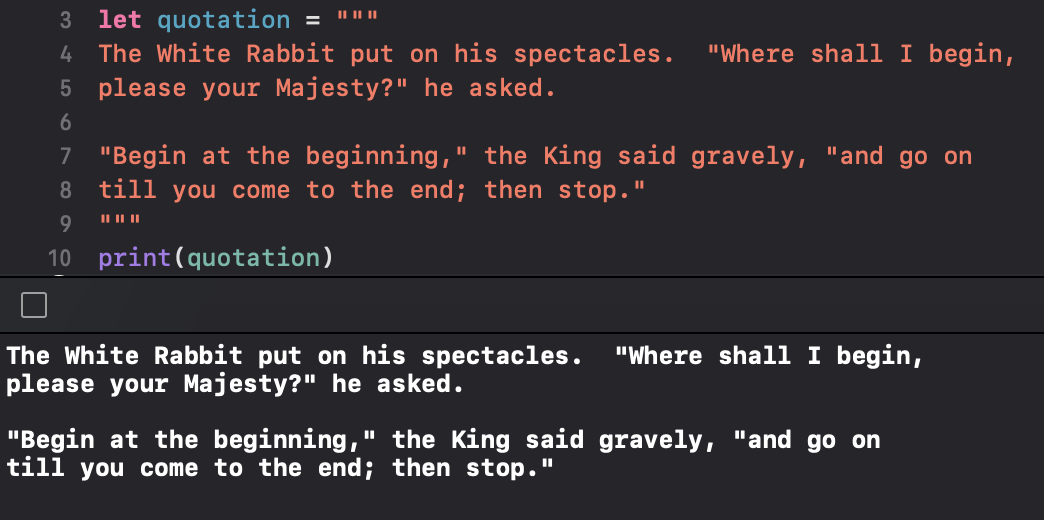
⌘If you want to use line breaks to make your source code easier to read, but you don’t want the line breaks to be part of the string’s value, write a backslash (\) at the end of those lines
->만약 소스코드의 가독성을 위해 라인을 쪼개고 싶다면, 그러나 문자열 자체를 쪼개진 말고...\백슬래쉬를 사용

# 1 Special Characters in String Literals
- 문자열 내부의 특별한 문자.
⌘The escaped special characters
\0 (null character)
\\ (backslash)
\t (horizontal tab)
\n (line feed)
\r (carriage return)
\" (double quotation mark)
\' (single quotation mark)
#2 Extended String Deliiters
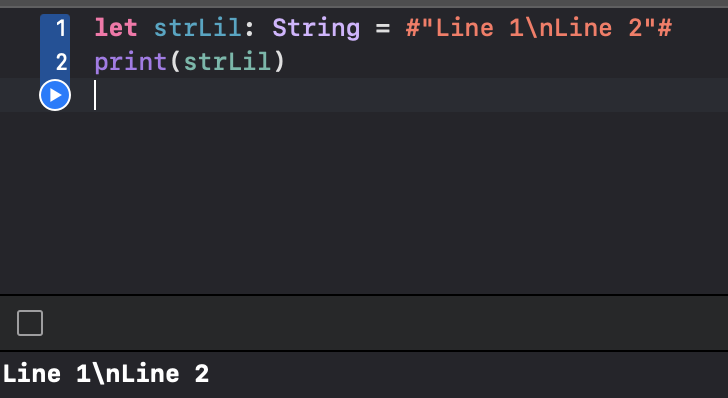
⌘You can place a string literal within extended delimiters to include special characters in a string without invoking their effect.
-> 확장구분기호(extended delimiters)를 문자열에 사용함으로서 특수문자의 기능을 사용하지 않도록 할 수 있다.
#3 initializing an Empty String
⌘To create an empty String value as the starting point for building a longer string, either assign an empty string literal to a variable, or initialize a new String instance with initializer syntax
-> 빈 문자열을 만들기 위해선, 빈문자열[""]을 할당하거나, 초기화 신택스[String()]를 문자열 객체에 초기화함으로서 할 수 있다.

#4 Working with Characters
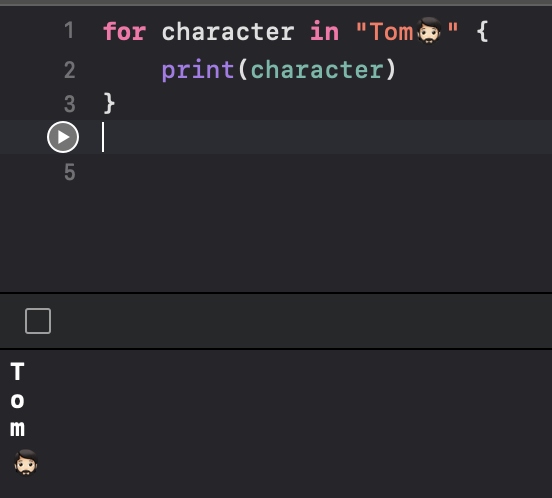
⌘You can access the individual Character values for a String by iterating over the string with a for-in loop
-> 문자열을 for문에서 반복함으로서 개개별의 문자에 접근 할 수 있다.
#5 Concatenating Strings and Characters
⌘String values can be added together (or concatenated) with the addition operator (+) to create a new String value
⌘You can append a Character value to a String variable with the String type’s append()method
->문자열과 문자열을 더하거나 문자열에 Char을 더 할 수도 있습니다.
' IOS,Swift > Swift⌘' 카테고리의 다른 글
| Swift - Optional (0) | 2022.07.01 |
|---|---|
| Swift - Enumeration (0) | 2022.06.30 |
| Swift - Collection Type1 Array (0) | 2022.06.28 |
| Swift - Declaring Constants(let) & Variables(var) (0) | 2022.06.26 |
| Swift - Function 1 (0) | 2022.06.25 |


